NCAtrak offers a Custom Tab to track specific information from the case in one location.

TABLE OF CONTENTS
- Adding the Custom Tab:
- Adding Fields to the Custom Tab:
- Role set up for the Custom Tab:
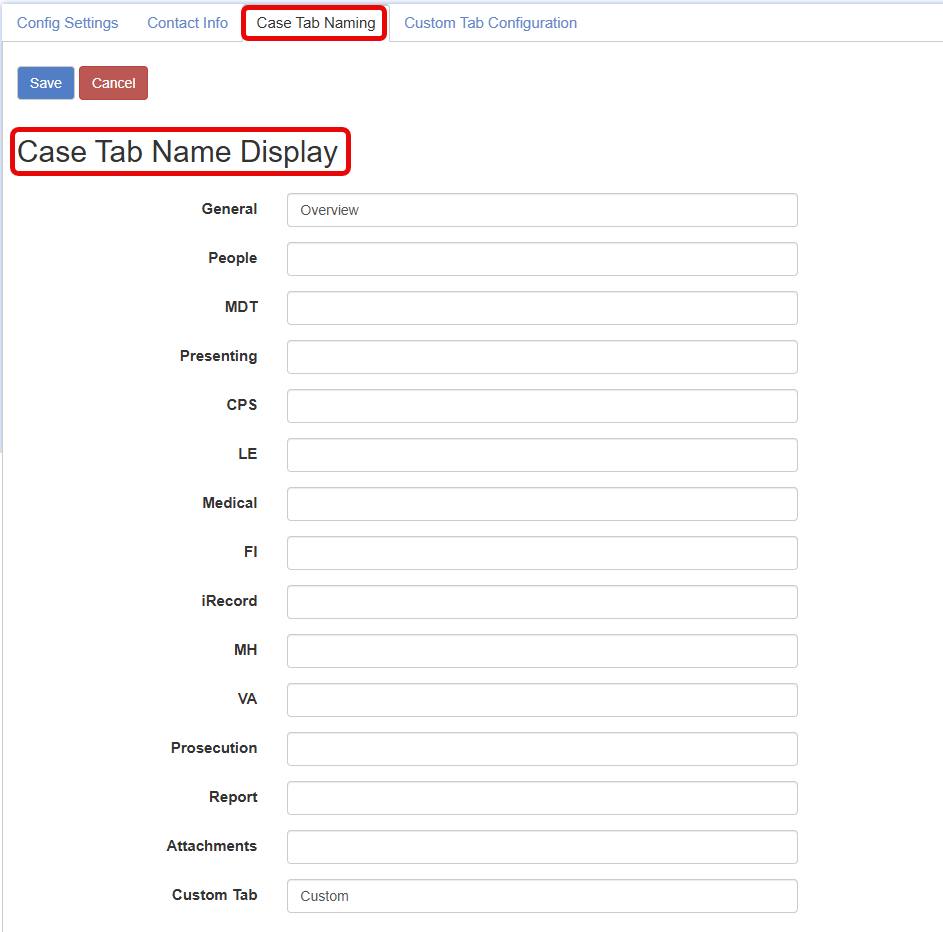
- Case Tab Naming:
Adding the Custom Tab:
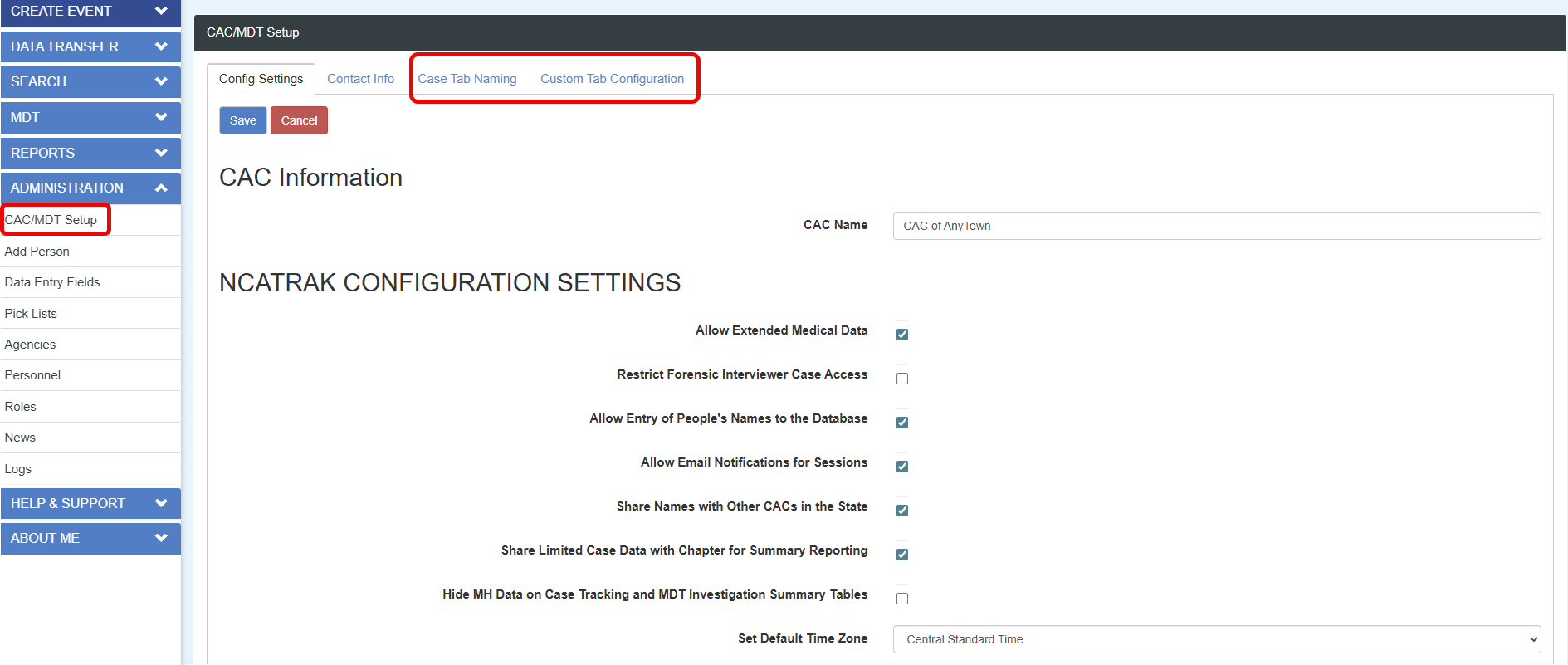
The custom tab configuration is located within the CAC/MDT Setup.
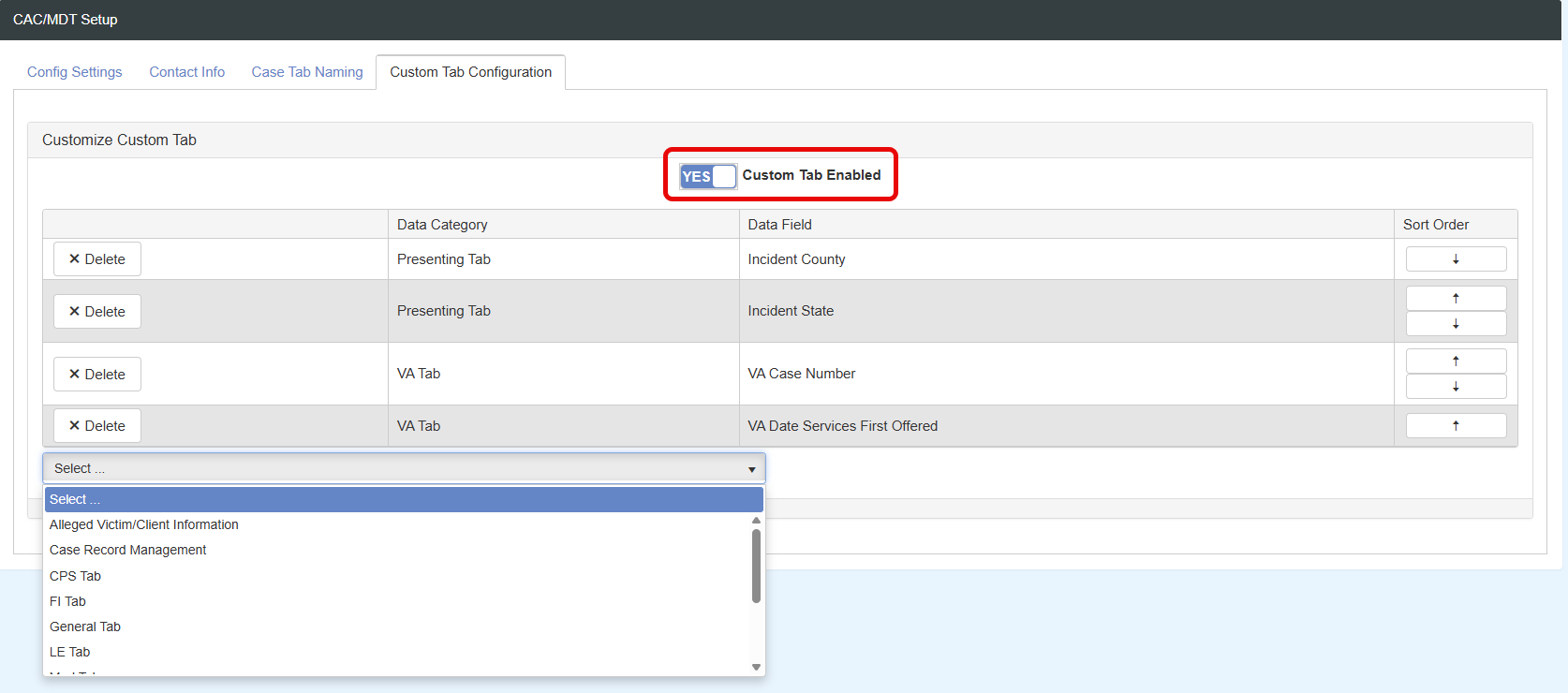
To Enable the Tab change the no to yes for Custom Tab Enabled.
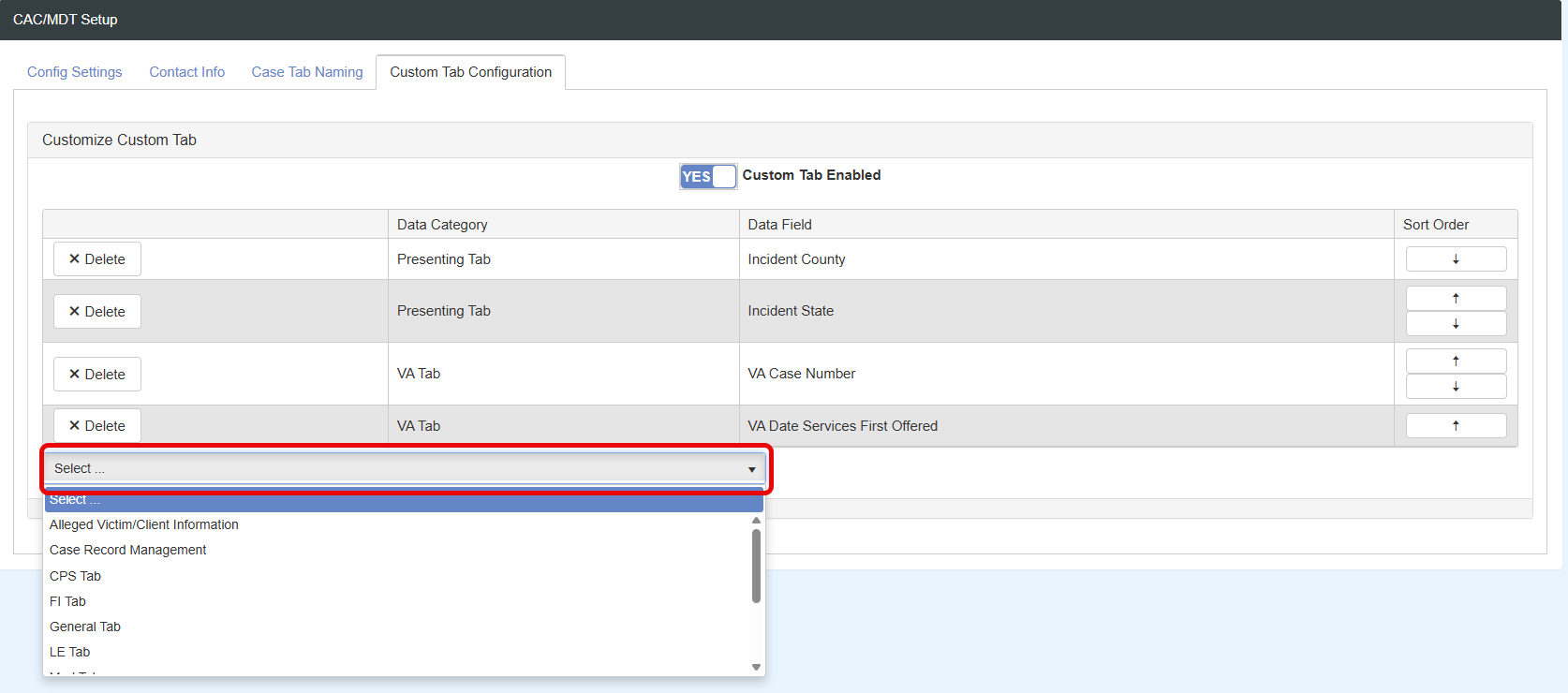
Adding Fields to the Custom Tab:
To add fields and information to the Custom Tab use the select drop down pick list. This includes the same options as the pick list for the Case List on the Home Screen.
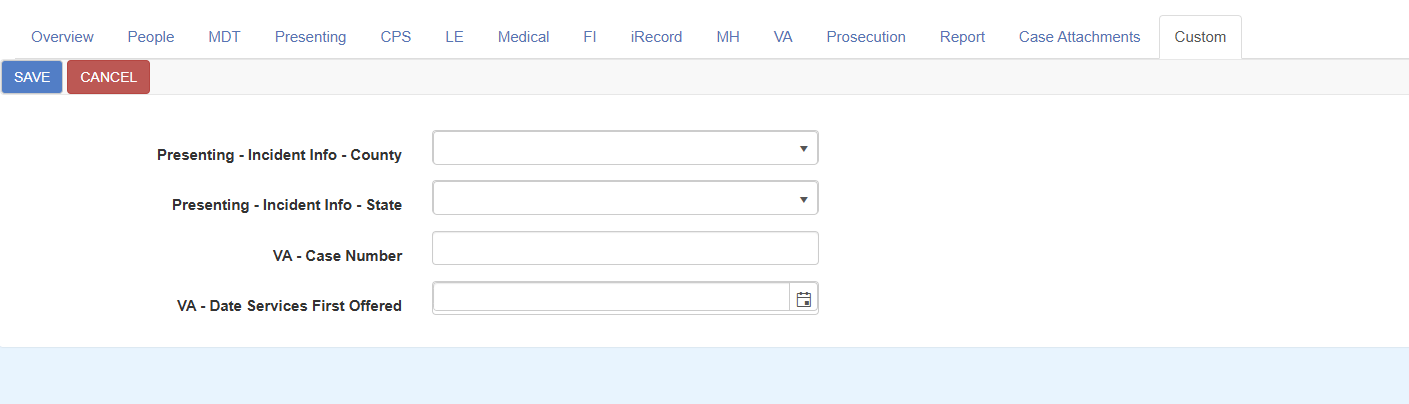
The options added will display on the custom field:
Tooltip styling is available to show the original name of the tab by hovering over the tab name.

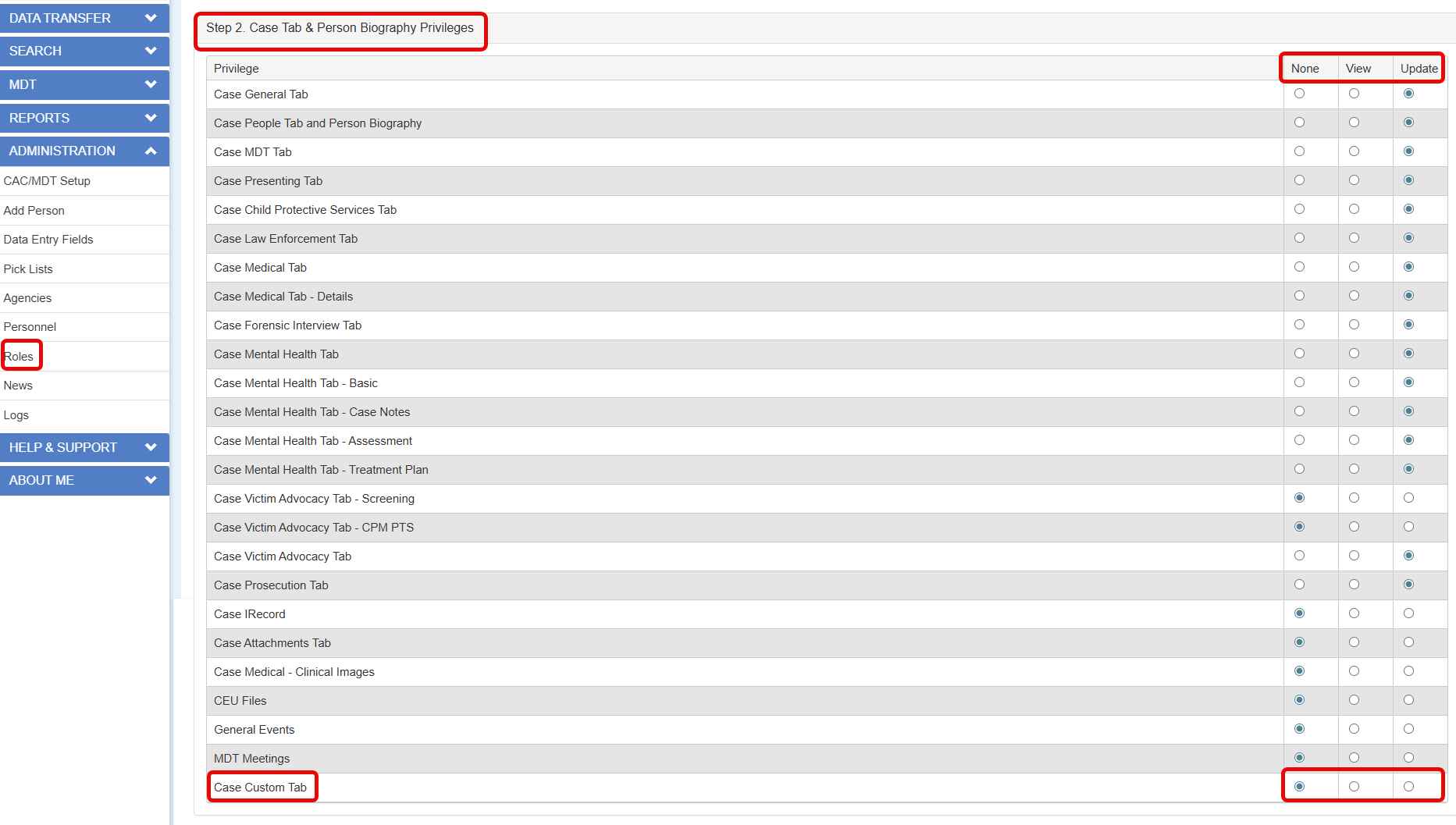
Role set up for the Custom Tab:
The custom tab is a tab that includes privileges that need to be changed for users to see the tab and have the capability to edit the data fields on the tab. The tab defaults to none and will need to be updated to view or update for the user to have access.
Case Tab Naming:
All the tabs can be renamed to reflect specific terms used by your organization or MDT partners.
Was this article helpful?
That’s Great!
Thank you for your feedback
Sorry! We couldn't be helpful
Thank you for your feedback
Feedback sent
We appreciate your effort and will try to fix the article